

The Zen Medical platform
Patient care and practice administration, in one workspace.
Explore the clinical and billing workflows built around accident-care practices.
Request a Demo01Patient & accident case management
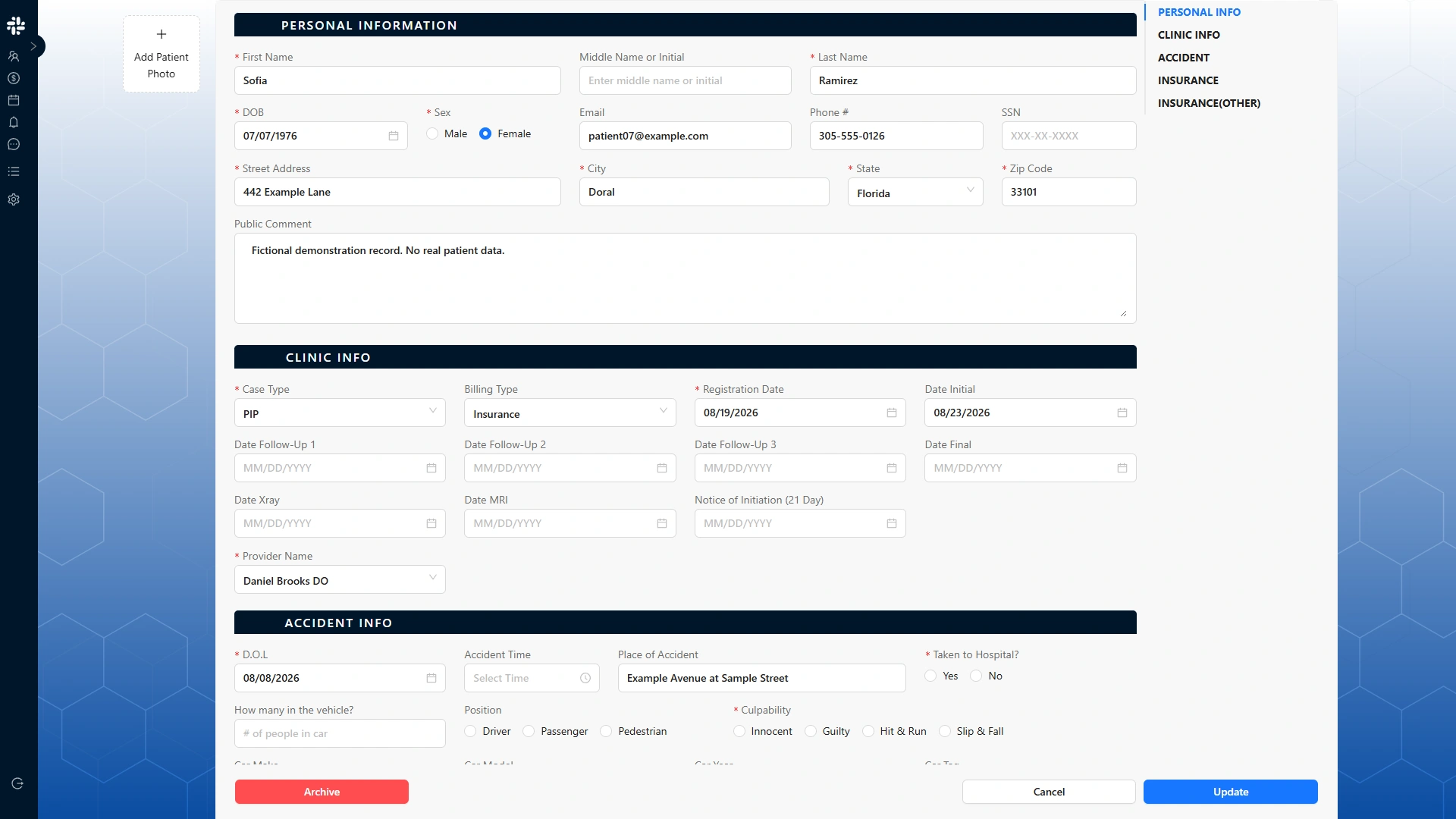
Patient and accident information, kept together.
Keep registration details, accident information, and case records organized around the patient. Give clinical and administrative teams the context they need at the start of care.
- Patient records and registration
- Accident details and case information
- Supporting records for the care workflow
02Clinical documentation
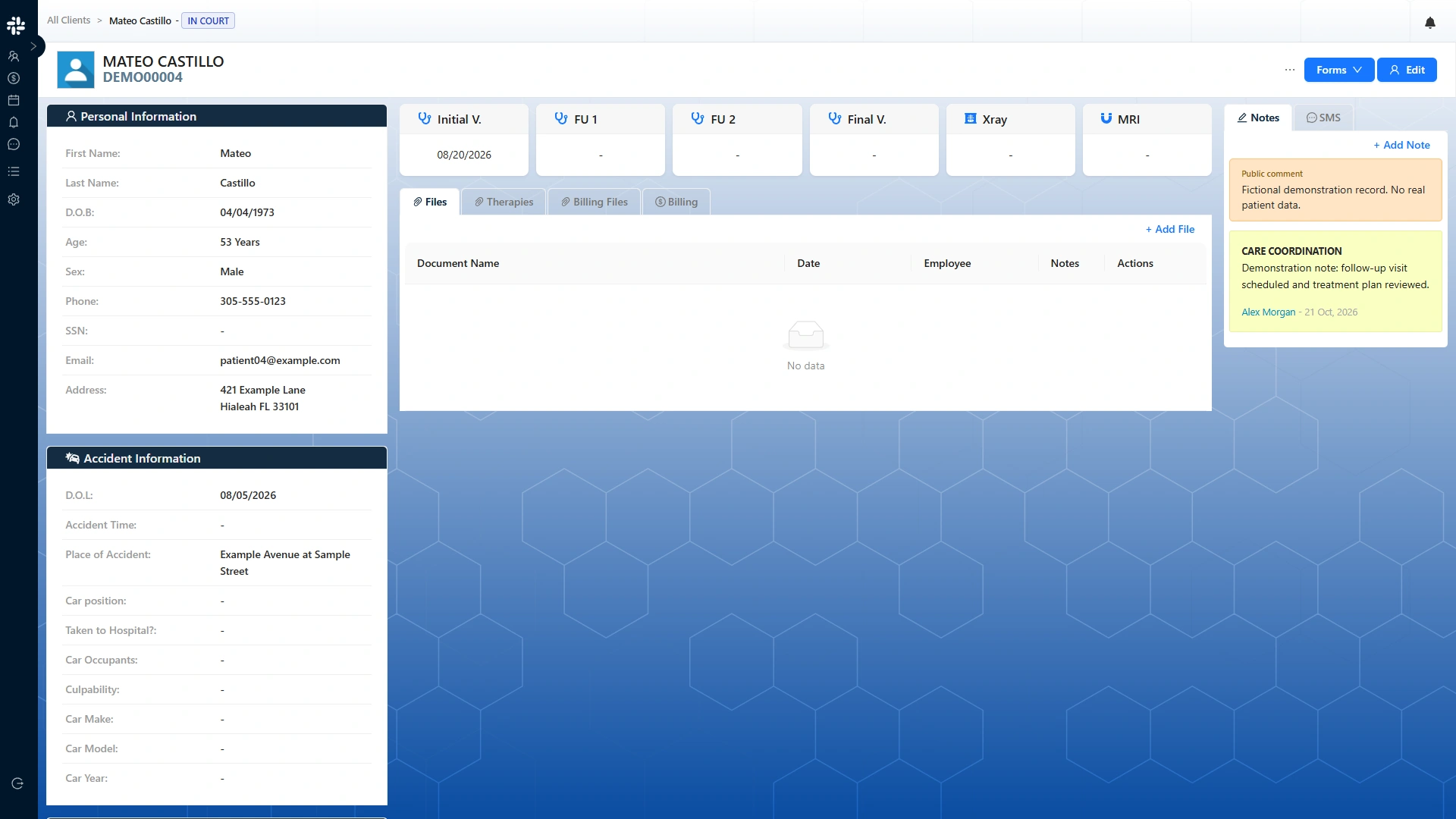
Clinical records organized around each visit.
Bring treatment notes, visit documentation, and medical reports into the patient workflow. Keep the clinical record organized as treatment continues.
- Visit and treatment documentation
- Clinical records and medical reports
- Supporting patient documents
03Appointments & treatment tracking
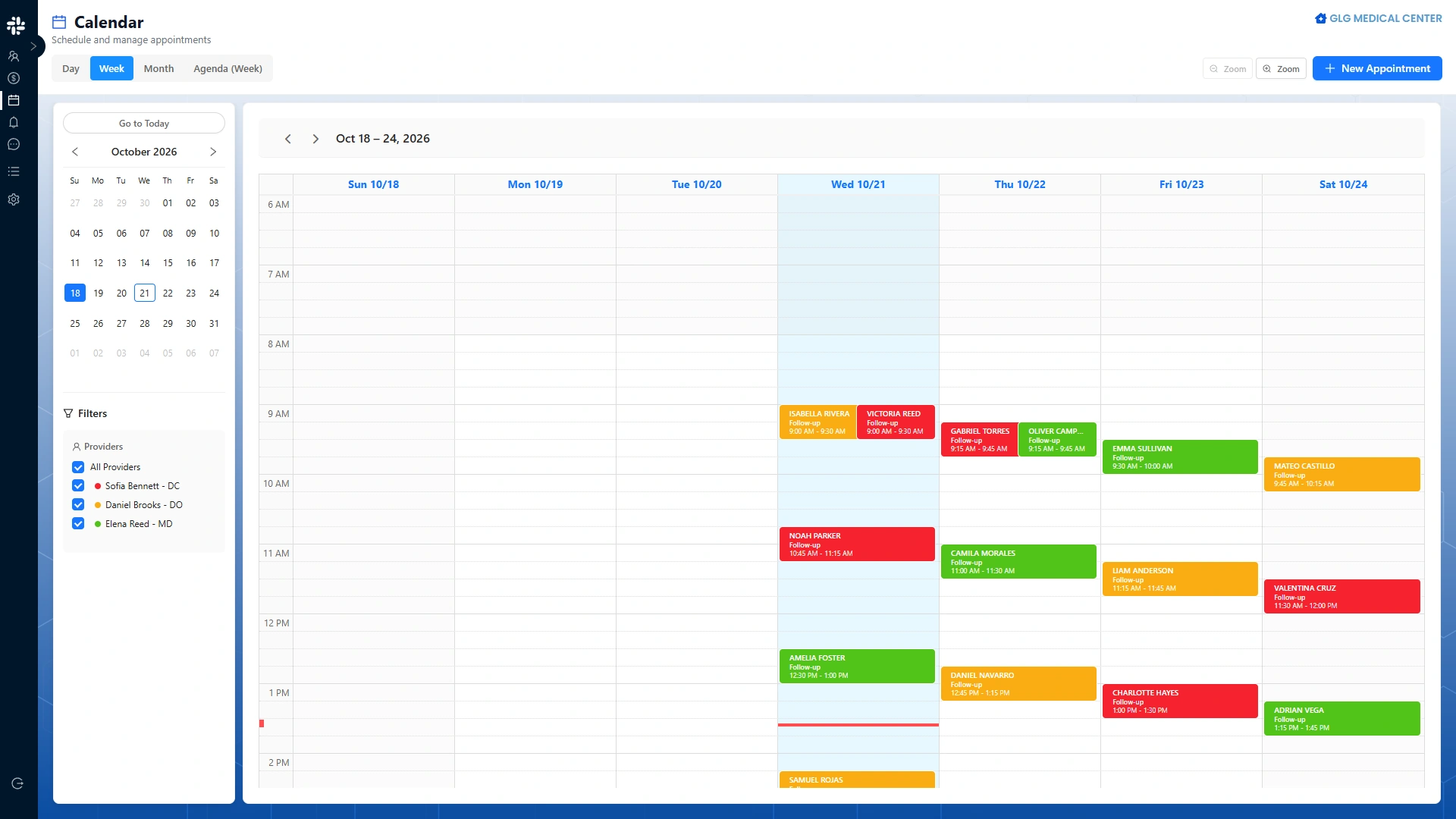
Keep appointments close to the care they support.
Coordinate visits and follow ongoing treatment alongside patient and clinical information.
- Appointment coordination
- Visit and treatment tracking
- Patient context for ongoing care
04Billing cases & service charges
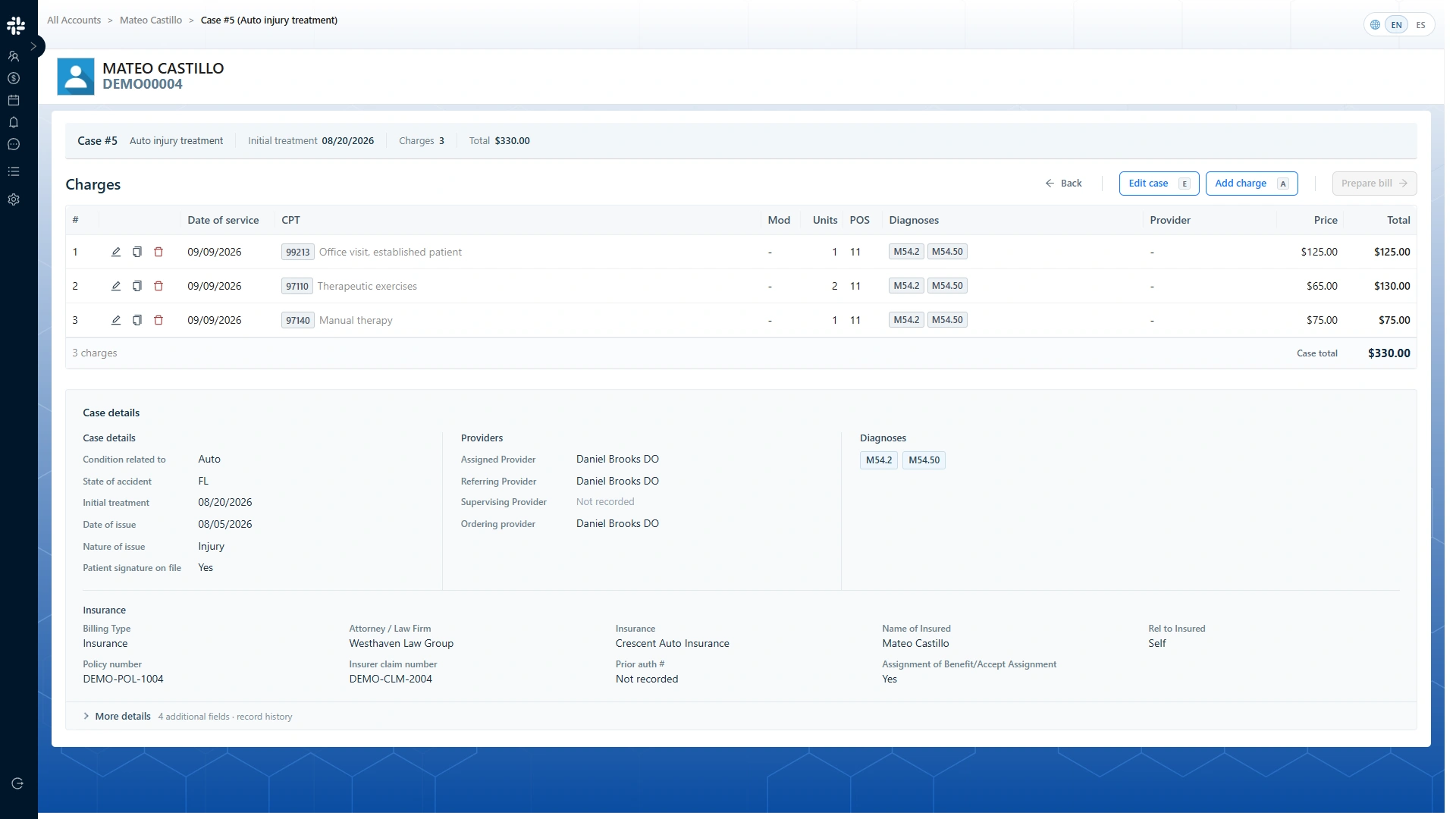
Organize the work around each billing case.
Keep billing cases, service charges, and supporting documentation in the practice workflow. Support the billing requirements of accident-related care.
- Billing case organization
- Service charges
- Supporting billing documents
05CMS-1500 claim preparation
Prepare claims with the billing case in view.
Bring CMS-1500 claim preparation into your accident-care billing workflow, alongside the case information and documentation that support it.
- CMS-1500 preparation
- Insurance claim records
- Claim history and supporting documents
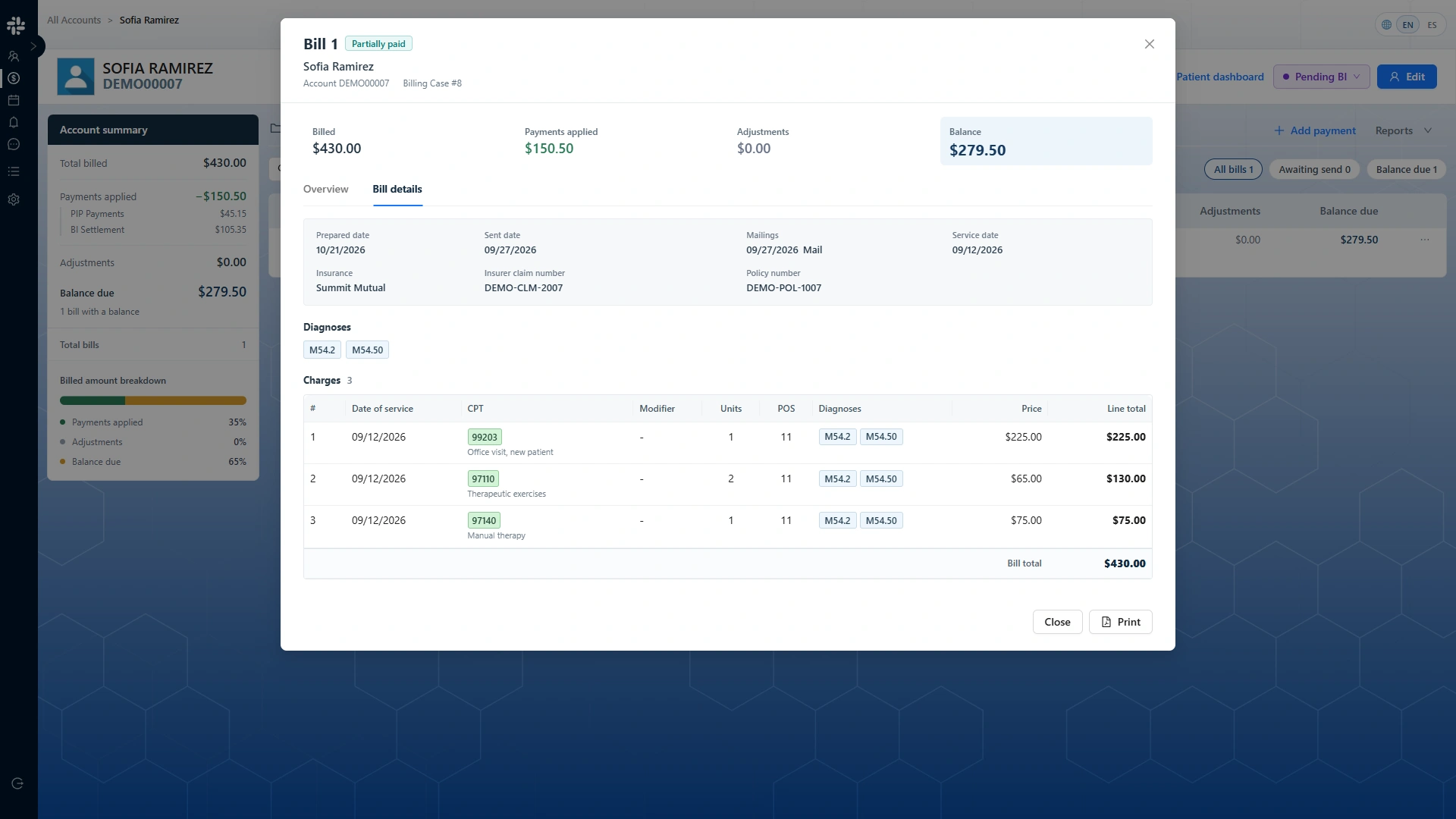
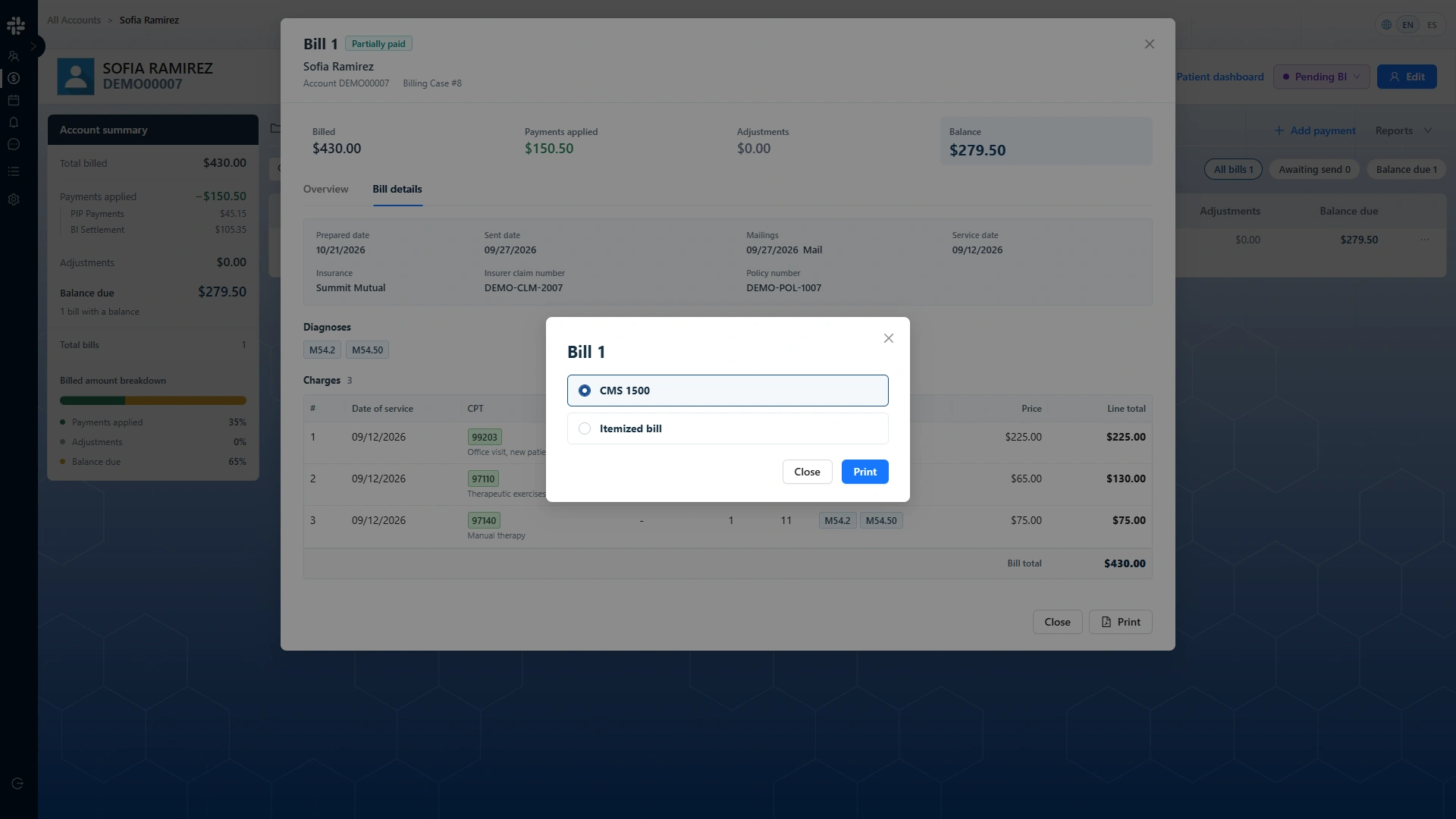
CMS-1500 & itemized bill
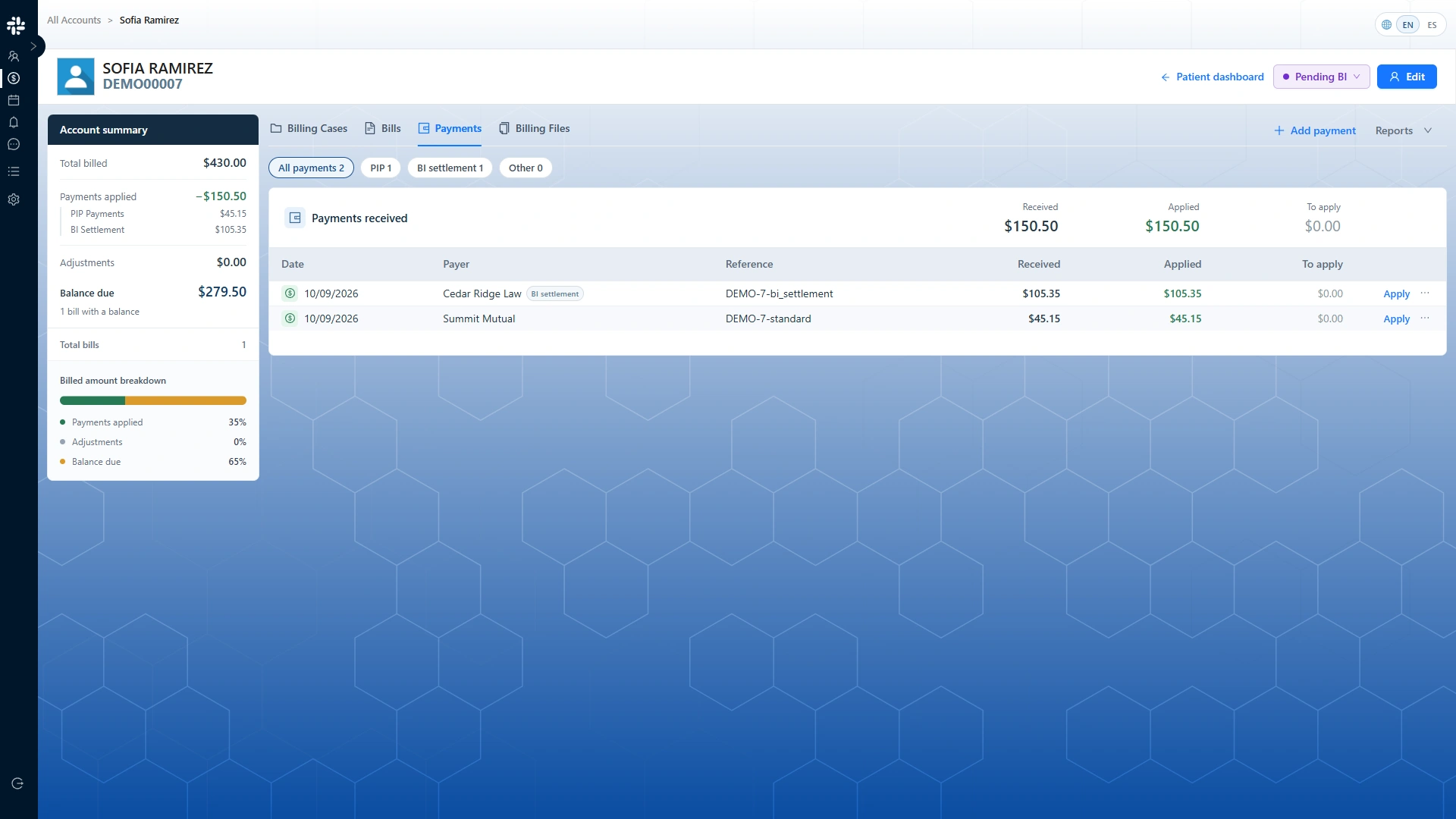
06Payments & account history
Keep payment activity and account history in view.
Follow payment records alongside billing activity. Give administrative teams an organized view of the account history they work with.
- Payment tracking
- Account and payment history
- Billing activity in context
Across your practice
Support the work across your locations.
Zen Medical supports the clinical and administrative needs of practices operating across locations. Discuss your team structure and operational requirements in a product conversation.
Medical reports, supporting documents, and demand letters remain part of the practice’s administrative workflow.
Discuss your practiceSee Zen Medical in use
From the patient record to the calendar.
A short application walkthrough of patient information and appointment scheduling.
A conversation about your practice
Let’s walk through
your clinic’s workflow.
Explore the patient, clinical, and billing workflows that matter to your team.
Request a demo Demo booking is coming soon. Preview the request form.