


Before replacing a system, map one case from registration to payment history. The handoffs will show you what to ask about.
Start with the moments that slow the team down.
A familiar system can remain part of a clinic for years. Meanwhile, the practice changes: more providers, different appointment needs, more documentation, or a growing mix of accident and pain management cases.
The useful question is where the work becomes harder to follow. Does the front desk re-enter information? Does a clinician have to search outside the patient record? Does the billing team reconstruct what happened before it can prepare a bill?
These are practical signals to investigate. They do not prove that every older system needs replacing, but they give you specific workflows to evaluate instead of choosing software by appearance alone.
- The same patient or case details are entered in several places.
- Staff move between separate tools to understand a visit or account.
- Follow-up context lives in individual notes, inboxes, or conversations.
- Billing preparation begins with a search for supporting information.
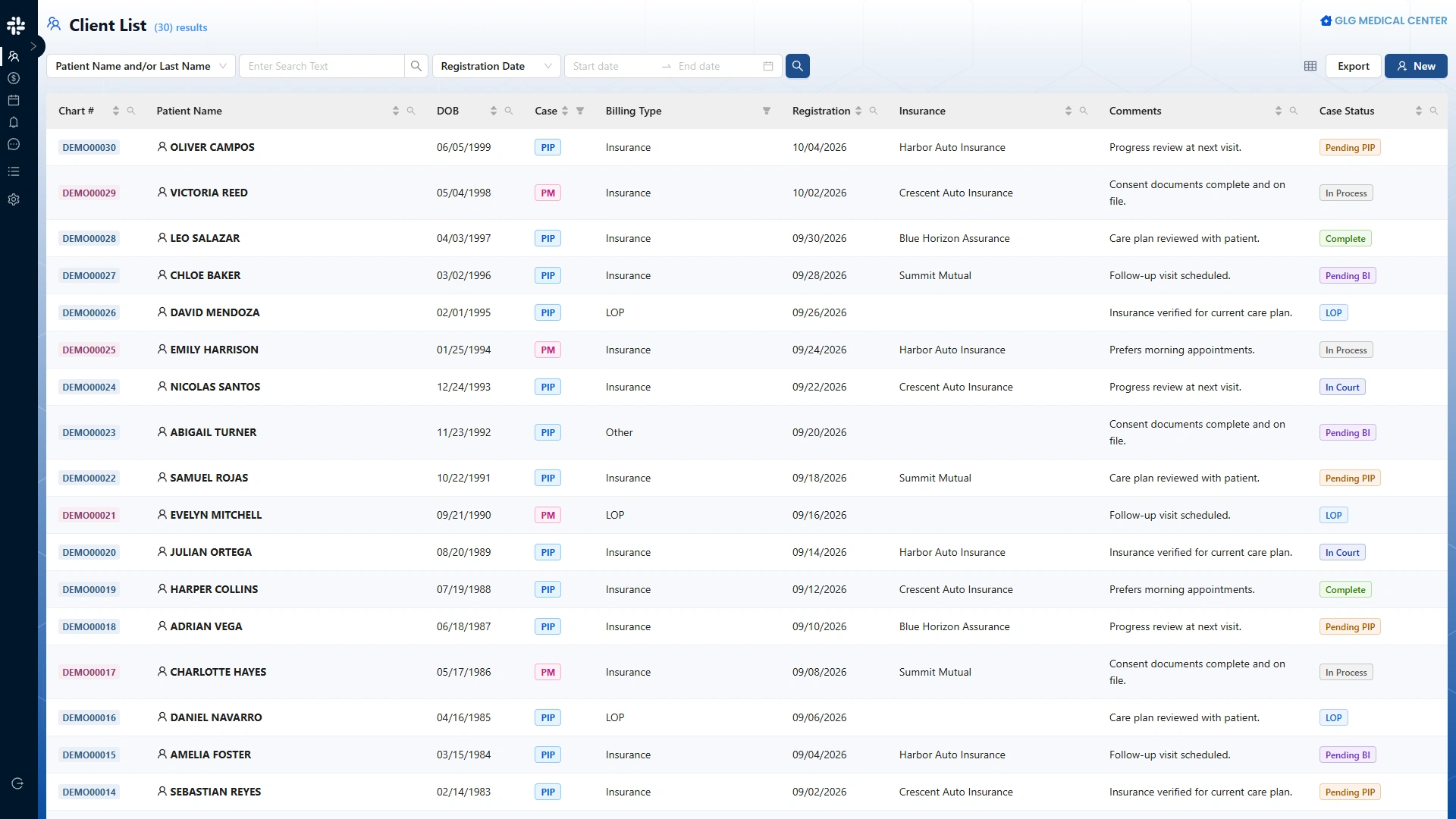
Follow one case from the front desk to payment history.
Choose a demonstration case that resembles your day-to-day work. For an accident-care clinic, that might include patient and accident information, scheduled visits, treatment documentation, charges, and CMS-1500 preparation. A pain management practice may have its own documentation and scheduling priorities.
Walk through the sequence with the people responsible for each stage. At every handoff, ask what information the next person needs and where it can be found.
Registration
Capture the patient, clinic, and relevant case context so the next person can find it.
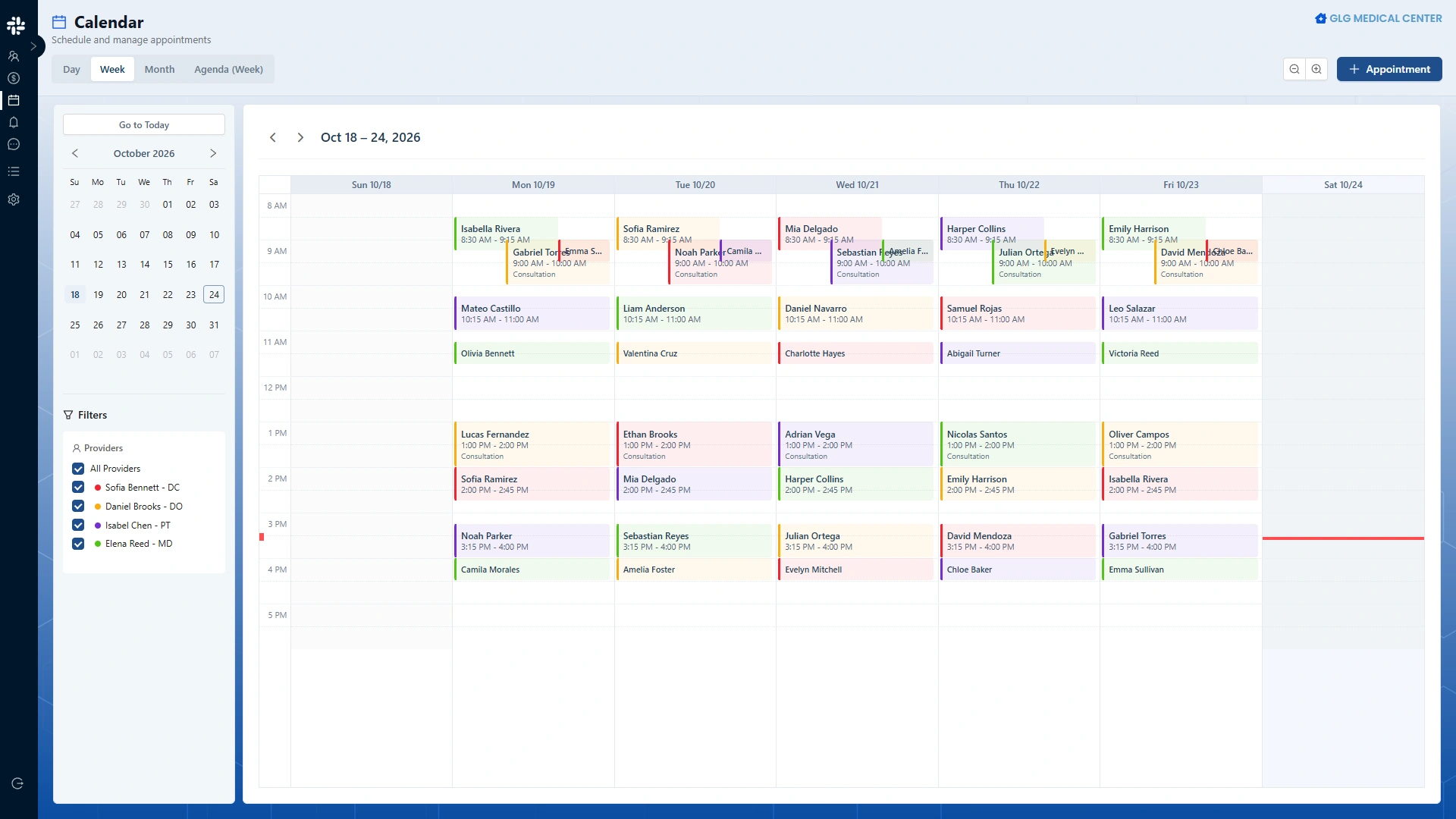
Scheduling
Connect the visit with the calendar, provider, and reason for the appointment.
Clinical documentation
Keep visit notes, treatment records, and supporting documents organized around the patient.
Billing Case and charges
Review services, diagnoses, and insurance context before preparing the bill.
CMS-1500 preparation
Check the actual output and the information used to prepare it. Preparation is a separate step from submission or payer acceptance.
Payments and account history
Review the payment records and account history available to the team.
A smoother workflow depends on clear handoffs.
A connected workflow helps people retain context as responsibility moves from reception to clinical care and billing. That requires understandable screens, findable records, and a clear sequence of work.
Ask a vendor to demonstrate the transitions. After registration, where does the patient appear? How does the team review the schedule? Where are the notes and supporting records? How does the biller reach the case and its charges?
Look closely at the exceptions, too: a corrected detail, an appointment change, or a record that needs review. A polished overview is useful, but a hands-on walkthrough should show how your team would handle ordinary work.
Before changing platforms, ask about the practical work.
Changing software involves more than selecting a new interface. Discuss the scope of migration, which records can be transferred, how their accuracy will be checked, and which historical materials may need a separate plan.
Include training, access permissions, rollout timing, and the support arrangements in your evaluation. Ask what is included, what requires additional work, and what is currently available rather than planned.
Bring questions about patient messaging, accounting, integrations, and claims submission separately. Do not assume that a platform offers an entire capability because a related screen appears in a demo.
How Zen Medical approaches the connected practice.
Zen Medical is built around accident and pain management clinics, including personal injury and Florida PIP workflows. Its demonstrated workflows include patient registration, a weekly calendar and agenda, clinical documentation, Billing Cases, service charges, CMS-1500 preparation, and patient payment history.
The screenshots in this article show the actual application with demonstration data. The website walkthrough lets you explore the clinical-to-billing sequence and see the preparation of a bill.
Availability and fit should be discussed for your practice. Automated patient communication and broader accounting capabilities are part of the product direction; this article does not present them as demonstrated, currently available modules.
Start with one case and the questions your team already asks. That gives a product conversation a concrete purpose: understanding how the work would move through your practice.
Explore the product workflow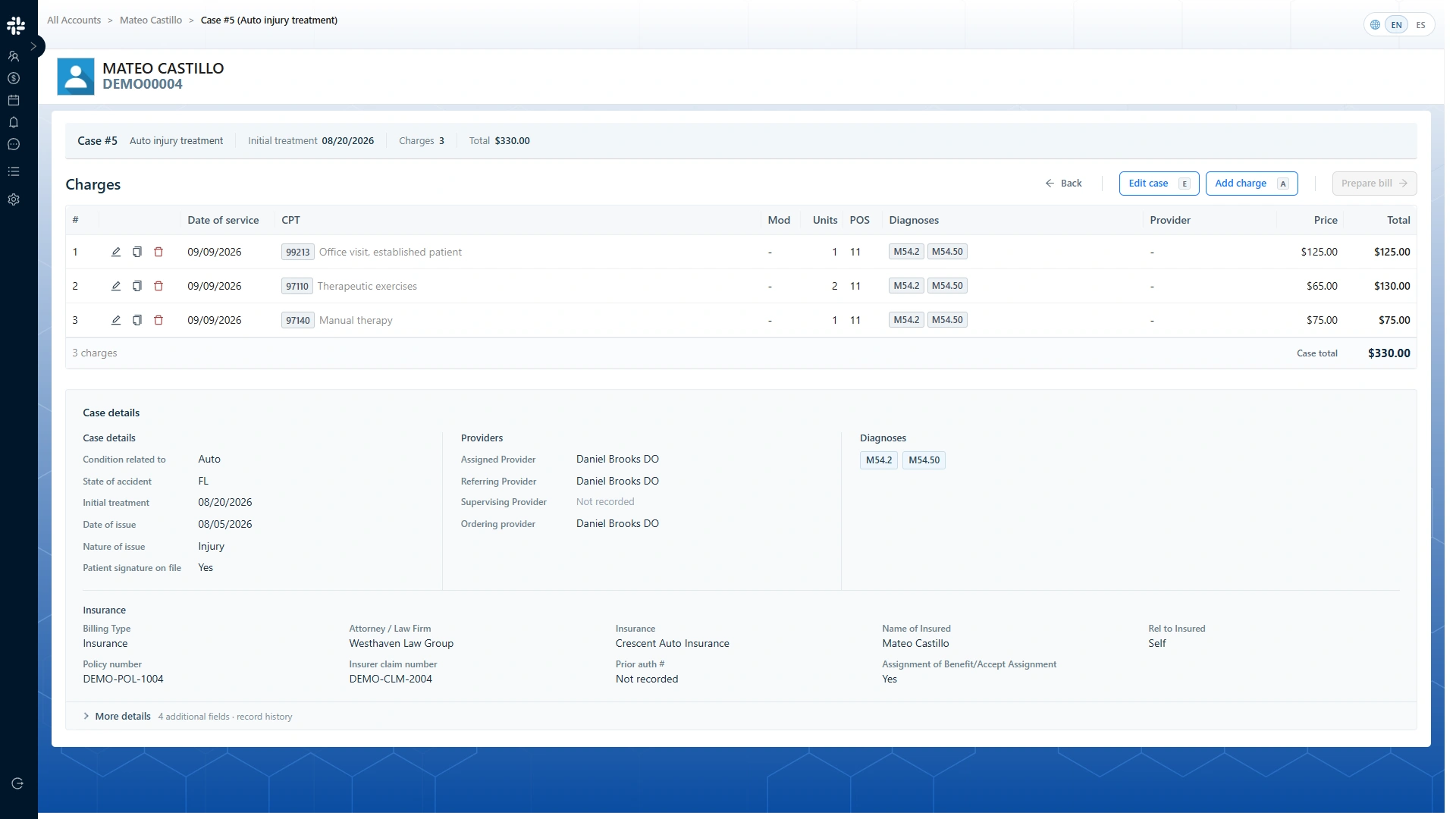
See the workflow with your practice in mind.
Bring your questions about intake, scheduling, clinical records, and billing. We can discuss the current product and your requirements.